




The product's shade and actual color may differ from what is shown in the picture, as the images are for illustrative purposes. The product description is general and may not include all the product's features.
DELL P2724DEB 68.6 cm (27") LCD 2560 x 1440 pixels Quad HD
2441020 DELL-P2724DEB
5397184657065, 0884116441472, 5715063801161
2026-04-15
 Pay 5x105.80€
Effortless collaboration
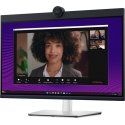
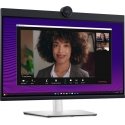
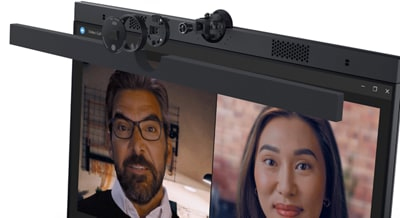
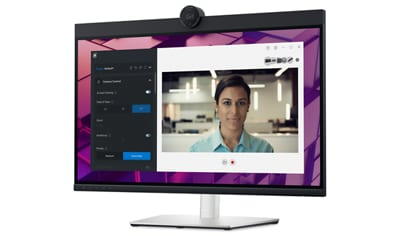
Powerful webcam: Take center stage with a 2K QHD webcam that packs a punch. The large Sony STARVIS™ sensor is 29.5% larger than the previous model , takes in substantial light to give you vibrant picture clarity and a vivid image.
Look great in low light: Temporal (3D) and Spatial (2D) Noise Reduction automatically eliminates motion blur and grainy images in low light, while AI Auto Framing keeps you in the middle of the frame even as you move around.
Loud and clear: Collaborate like you're there with built-in, dual echo cancellation mics and dual 5W speakers, strategically positioned at the top of the monitor for an immersive audio experience.
Interaction secured: The manual webcam shutter and convenient microphone mute button on this Zoom-certified monitor helps ensure that you're only communicating what you want to share, when you want to share it.
Easier connections: Launch Teams meetings effortlessly with the quick access touch control on this certified for Microsoft Teams monitor.
Seamless access
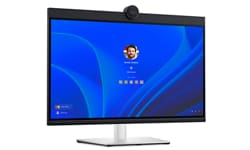
Get to work fast with Dell Express Sign-in, featuring a proximity sensor that detects your presence when you are close and uses Windows Hello™ to automatically log you in. When you walk away, it locks your system for increased security.
Easy on the eyes
Work without straining your eyes with the always-on, built-in ComfortView Plus, which reduces low blue light without compromising colour.

Comfort is key
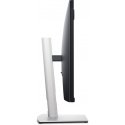
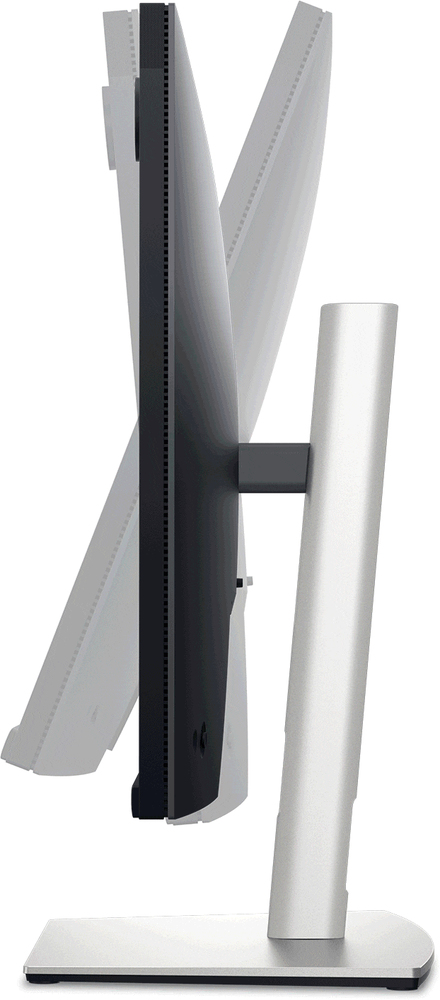
Tilt, swivel, pivot and adjust the height of your monitor up to a maximum of 150mm.
Your productivity hub
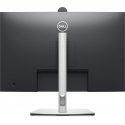
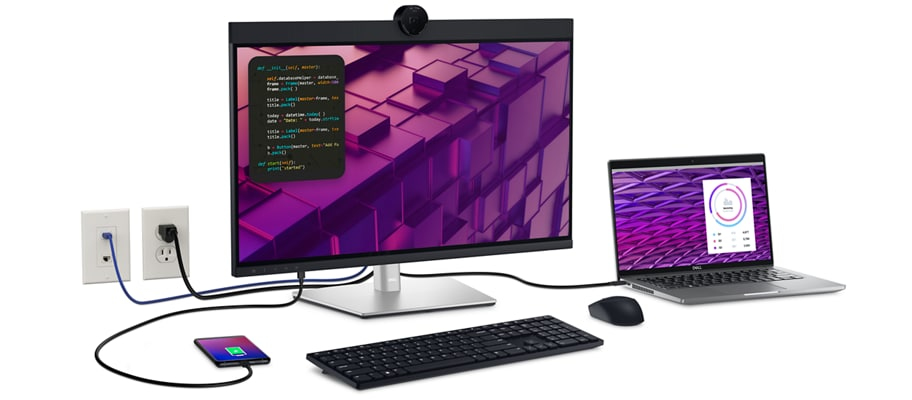
Connect to productivity: With wired connectivity options like RJ45 and USB-C®, your monitor delivers reliable Ethernet , power, audio and video—all in a clutter-free setup.
The power of USB-C: Get up to 90W of power delivery via USB-C, and charge your laptop (even when the monitor is off) with the Always On Power Delivery feature. This single-cable solution also reduces cable clutter and transmits power, data and audio—all at once.
Quick convenience: Plug in whatever you need and keep it in reach with the two, super speed USB 5Gbps (USB 3.2 Gen1) quick-access ports. There’s even space to charge your mobile phone (up to 15W power charging) with the USB-C quick-access port.
Enhanced manageability: Managing your monitor is easy with MAC Address pass-through , PXE Boot, and Wake-on-LAN conveniently built in.
Multitask efficiently: Connect two PC sources to the monitor—our intelligent Auto KVM feature detects the second connected PC and seamlessly switches controls over. KVM (keyboard, video and mouse) allows you to control both PCs with a single keyboard and mouse. Plus, you can enhance efficiency by adding a second monitor via the daisy chain feature.
Improved Dell Display Manager
Easy management. Next-level productivity.
Improved multitasking: Organise your screen with Easy Arrange and save profiles with Easy Arrange Memory.
Easy navigation: Share a single keyboard, mouse and monitor between multiple PCs with USB KVM wizard. Quickly switch between PCs with the quick-access menu or hot keys.
Smooth deployment: Manage your fleet of monitors with features that are automatic, comprehensive and compatible with several tools.
Convenient customisation: Quickly access your favorite features and functions with the menu launcher and hot keys.
Stay updated: Get automatic notifications anytime there's new updates on monitor firmware and software.
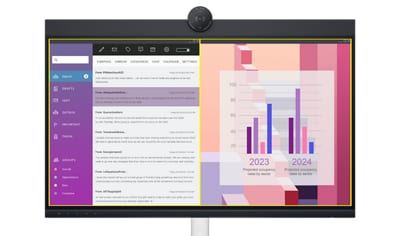
Dell Peripheral Manager
Design how they see you: Dell Peripheral Manager offers an amazing range of features like HDR, AI Auto Framing, different Field of Views and Presets - allowing you to easily customise settings based on your preferences.
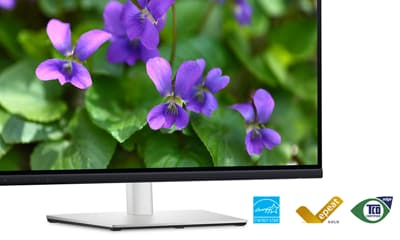
Green thinking. For today and tomorrow.
Environmental standards: Dell monitor uses 85% PCR (Post-consumer Recyclable) plastic in the design , 90% recycled aluminum, and meets the latest environmental standards such as EnergyStar®, and TCO Certified Edge, and is EPEAT® Gold registered.
Eco-conscious packaging: Dell monitors ship in boxes made with 100% renewable content that is also 100% recyclable.
Energy conservation: Save energy when your monitor’s not in use with PowerNap , a feature that dims or puts your monitor to sleep when it’s not in use.
Advanced sustainability: Dell Technologies is committed to reducing environmental impact throughout the product lifecycle.
| Display diagonal | 68.6 cm (27") |
| HD type | Quad HD |
| Display resolution | 2560 x 1440 pixels |
| Screen shape | Flat |
| Native aspect ratio | 16:9 |
| RMS rated power | 10 W |
| Wi-Fi | No |
| Product colour | Black; Silver |
| VESA mounting | Yes |
| Panel mounting interface | 100 x 100 mm |
| HDMI ports quantity | 1 |
| Energy efficiency class (SDR) | F |
| Energy consumption (SDR) per 1000 hours | 26 kWh |
| Width (with stand) | 611.8 mm |
| Depth (with stand) | 230 mm |
| Height (with stand) | 440.8 mm |
| Weight (with stand) | 8.27 kg |
| Touchscreen | No |
| Display number of colours | 16.78 million colours |
| Maximum frame rate | 60 fps |
| USB port | Yes |
| USB version | 3.2 Gen 1 (3.1 Gen 1) |
| Cables included | USB Type-C; USB Type-A to USB Type-B; DisplayPort |
| Package weight | 11.3 kg |
| Sustainability certificates | ENERGY STAR; TCO |
| Windows operating systems supported | Windows 10; Windows 11 |
| Mac operating systems supported | MacOS |
| Operating temperature (T-T) | 0 - 40 °C |
| Storage temperature (T-T) | -20 - 60 °C |
| Operating relative humidity (H-H) | 10 - 80% |
| USB 3.2 Gen 1 (3.1 Gen 1) Type-A ports quantity | 3 |
| Microphone in | Yes |
| Ethernet LAN | Yes |
| Ethernet LAN (RJ-45) ports | 1 |
| AC input voltage | 100 - 240 V |
| Power consumption (typical) | 26 W |
| Built-in speaker(s) | Yes |
| Energy efficiency scale | A to G |
| AC input frequency | 50/60 Hz |
| Remote control included | No |
| USB ports quantity | 6 |
| Power consumption (max) | 210 W |
| Stand included | Yes |
| Display technology | LCD |
| Contrast ratio (typical) | 1000:1 |
| Viewing angle, horizontal | 178° |
| Viewing angle, vertical | 178° |
| Display diagonal (metric) | 68.47 cm |
| On Screen Display (OSD) | Yes |
| Tilt angle range | -5 - 21° |
| Number of built-in speakers | 2 |
| LED backlight | Yes |
| HDMI version | 1.4 |
| HDCP | Yes |
| Power consumption (standby) | 0.3 W |
| Storage relative humidity (H-H) | 5 - 90% |
| Display brightness | 350 cd/m² |
| Power supply type | Internal |
| Height adjustment | Yes |
| Swivel angle range | -45 - 45° |
| USB 3.2 Gen 1 (3.1 Gen 1) Type-C ports quantity | 1 |
| DVI port | No |
| Anti-glare screen | Yes |
| Computer system | No |
| Display width | 611.8 mm |
| Display depth | 59.6 mm |
| Display height | 415.8 mm |
| Display weight | 5.65 kg |
| Panel type | IPS |
| Pixel pitch | 0.2331 x 0.2331 mm |
| DisplayPorts quantity | 1 |
| Pivot | Yes |
| Response time | 8 ms |
| Built-in camera | Yes |
| USB Type-C DisplayPort Alternate Mode | Yes |
| USB Power Delivery (USB PD) | Yes |
| USB Power Delivery up to | 90 W |
| HDCP version | 1.4 |
| Megapixel (approx.) | 4 MP |
| Swivelling | Yes |
| Pivot angle | -90 - 90° |
| Stylus pen | No |
| Bezel width (bottom) | 1.72 cm |
| Bezel width (side) | 7.52 mm |
| Bezel width (top) | 3.84 cm |
| Height adjustment | 15 cm |
| Surface hardness | 3H |
| USB Type-A downstream ports quantity | 3 |
| USB Type-C downstream ports quantity | 1 |
| sRGB coverage (typical) | 99% |
| Number of USB Type-B upstream ports quantity | 1 |
| Number of USB Type-C upstream ports quantity | 1 |
| USB 2.0 Type-B ports quantity | 1 |
| Power adapter included | Yes |
| Total carbon footprint (kg of CO2e) | 604 |
| Total carbon emissions, standard deviation (kg of CO2e) | 157 |
| Carbon emissions, manufacturing (kg of CO2e) | 333.67 |
| Carbon emissions, logistics (kg of CO2e) | 57.97 |
| Carbon emissions, energy usage (kg of CO2e) | 205.823 |
| Carbon emissions, end-of-life (kg of CO2e) | 6.89 |
| PAIA version | 1.3.2, 2022 |
| Compliance certificates | RoHS |
3615115Monthly payment from 55.21 €MPN: D2XJ7Processor family: Intel Core Ultra 7Internal memory: 32 GBTotal storage capacity: 512 GBDisplay diagonal: 35.6 cm (14")
3617600Monthly payment from 56.75 €MPN: DJ2F2Processor family: Intel Core Ultra 7Internal memory: 32 GBTotal storage capacity: 512 GBDisplay diagonal: 33.8 cm (13.3")
3694150Monthly payment from 25.59 €MPN: JWXFGProcessor family: Intel Core 5Internal memory: 16 GBTotal storage capacity: 512 GBDisplay diagonal: 40.6 cm (16")
3694162Monthly payment from 36.41 €MPN: 2HT48Processor family: Intel Core Ultra 5Internal memory: 16 GBTotal storage capacity: 512 GBDisplay diagonal: 40.6 cm (16")
3694200Monthly payment from 35.12 €MPN: XTJWGProcessor family: Intel Core Ultra 5Internal memory: 16 GBTotal storage capacity: 512 GBDisplay diagonal: 40.6 cm (16")
3694250Monthly payment from 34.61 €MPN: MGFFKProcessor family: Intel Core Ultra 7Internal memory: 16 GBTotal storage capacity: 512 GBDisplay diagonal: 40.6 cm (16")
3694267Monthly payment from 53.40 €MPN: 006MDInternal memory: 32 GBSSD capacity: 1 TBProcessor manufacturer: IntelProcessor cores: 20
3694291Monthly payment from 34.86 €MPN: 42MTJProcessor family: Intel Core Ultra 5Internal memory: 16 GBTotal storage capacity: 512 GBDisplay diagonal: 35.6 cm (14")
3694323Monthly payment from 58.04 €MPN: KHP46Internal memory: 32 GBSSD capacity: 1 TBProcessor manufacturer: IntelProcessor cores: 24
3694400Monthly payment from 49.03 €MPN: TY5FCProcessor family: AMD Ryzen AI 7 PROInternal memory: 32 GBTotal storage capacity: 512 GBDisplay diagonal: 40.6 cm (16")
3694446Monthly payment from 45.16 €MPN: V2FG5Processor family: Intel Core Ultra 5Internal memory: 32 GBTotal storage capacity: 512 GBDisplay diagonal: 35.6 cm (14")
3694474Monthly payment from 31.26 €MPN: DFT4NProcessor family: AMD Ryzen™ AI 5Internal memory: 16 GBTotal storage capacity: 512 GBDisplay diagonal: 40.6 cm (16")
3694492Monthly payment from 30.49 €MPN: C0VHHProcessor family: Intel Core 5Internal memory: 16 GBTotal storage capacity: 512 GBDisplay diagonal: 35.6 cm (14")
3694556Monthly payment from 31.52 €MPN: 424MPProcessor family: Intel Core 5Internal memory: 16 GBTotal storage capacity: 512 GBDisplay diagonal: 35.6 cm (14")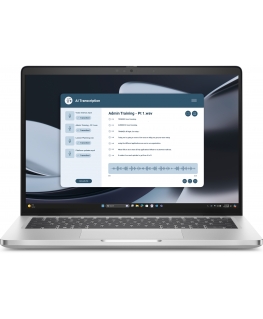
3694587Monthly payment from 52.63 €MPN: GH77WProcessor family: AMD Ryzen AI 7 PROInternal memory: 32 GBTotal storage capacity: 1 TBDisplay diagonal: 35.6 cm (14")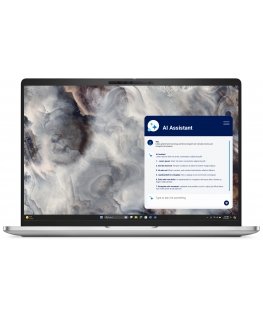
3694605Monthly payment from 34.86 €MPN: 6XGY6Processor family: Intel Core 5Internal memory: 16 GBTotal storage capacity: 512 GBDisplay diagonal: 40.6 cm (16")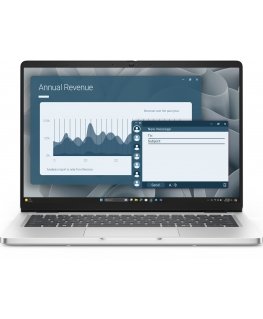
3694665Monthly payment from 33.58 €MPN: 5G8FCProcessor family: AMD Ryzen AI 7 PROInternal memory: 16 GBTotal storage capacity: 512 GBDisplay diagonal: 35.6 cm (14")
3694686Monthly payment from 54.43 €MPN: 0RR2NInternal memory: 32 GBSSD capacity: 1 TBProcessor manufacturer: IntelProcessor cores: 20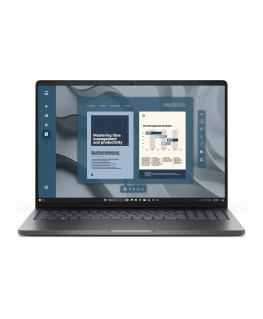
3695217Monthly payment from 31.00 €MPN: HT3DJProcessor family: AMD Ryzen™ 5Internal memory: 16 GBTotal storage capacity: 512 GBDisplay diagonal: 40.6 cm (16")
3696345Monthly payment from 33.58 €MPN: YXWNPProcessor family: Intel Core Ultra 5Internal memory: 16 GBTotal storage capacity: 512 GBDisplay diagonal: 33.8 cm (13.3")
3696473Monthly payment from 36.67 €MPN: VN39GProcessor family: Intel Core Ultra 7Internal memory: 16 GBTotal storage capacity: 512 GBDisplay diagonal: 35.6 cm (14")
3749809Monthly payment from 40.53 €MPN: 14RDRProcessor family: Intel Core Ultra 7Internal memory: 16 GBTotal storage capacity: 512 GBDisplay diagonal: 40.6 cm (16")
3752802Monthly payment from 45.16 €MPN: YNPF1Processor family: Intel Core Ultra 5Internal memory: 32 GBTotal storage capacity: 512 GBDisplay diagonal: 40.6 cm (16")
3754139Monthly payment from 32.03 €MPN: R6RT0Processor family: Intel Core Ultra 5Internal memory: 16 GBTotal storage capacity: 512 GBDisplay diagonal: 40.6 cm (16")
3791173Monthly payment from 48.25 €MPN: JP46NInternal memory: 16 GBSSD capacity: 1 TBProcessor manufacturer: IntelProcessor cores: 20
3794609Monthly payment from 61.64 €MPN: J9JX5Internal memory: 32 GBSSD capacity: 1 TBProcessor manufacturer: IntelProcessor cores: 20
3803869Monthly payment from 32.80 €MPN: FV71DProcessor family: Intel Core Ultra 5Internal memory: 16 GBTotal storage capacity: 512 GBDisplay diagonal: 35.6 cm (14")
3809396Monthly payment from 29.71 €MPN: T22XVInternal memory: 16 GBSSD capacity: 512 GBProcessor manufacturer: IntelProcessor cores: 14
3809477Monthly payment from 26.37 €MPN: 7YMHKInternal memory: 16 GBSSD capacity: 512 GBProcessor manufacturer: IntelProcessor cores: 14
3809480Monthly payment from 45.68 €MPN: X17YVInternal memory: 32 GBSSD capacity: 512 GBProcessor manufacturer: IntelProcessor cores: 20
3809543Monthly payment from 22.25 €MPN: NF51RInternal memory: 8 GBSSD capacity: 512 GBProcessor manufacturer: IntelProcessor cores: 14
3809746Monthly payment from 38.98 €MPN: VHF8DInternal memory: 16 GBSSD capacity: 512 GBProcessor manufacturer: IntelProcessor cores: 20
3809849Monthly payment from 35.12 €MPN: DFVJPInternal memory: 16 GBSSD capacity: 512 GBProcessor manufacturer: IntelProcessor cores: 20
3809897Monthly payment from 25.34 €MPN: 7P1R6Internal memory: 16 GBSSD capacity: 512 GBProcessor manufacturer: IntelProcessor cores: 14
3810091Monthly payment from 34.09 €MPN: DJTPYInternal memory: 16 GBSSD capacity: 512 GBProcessor manufacturer: IntelProcessor cores: 20
3810123Monthly payment from 25.34 €MPN: JX4DRInternal memory: 16 GBSSD capacity: 512 GBProcessor manufacturer: IntelProcessor cores: 14
3810237Monthly payment from 23.53 €MPN: F0CM3Internal memory: 8 GBSSD capacity: 512 GBProcessor manufacturer: IntelProcessor cores: 14
3819963Monthly payment from 27.65 €MPN: D6GXRInternal memory: 16 GBSSD capacity: 512 GBProcessor manufacturer: IntelProcessor cores: 14
3820311Monthly payment from 20.61 €MPN: 7F0R2Internal memory: 16 GBSSD capacity: 512 GBProcessor manufacturer: IntelProcessor cores: 14
3830639Monthly payment from 24.82 €MPN: 20PN3Internal memory: 16 GBSSD capacity: 512 GBProcessor manufacturer: IntelProcessor cores: 14
3845255Monthly payment from 25.59 €MPN: VDVFTInternal memory: 16 GBSSD capacity: 512 GBProcessor manufacturer: IntelProcessor cores: 14
3889494Monthly payment from 32.55 €MPN: JF8KMInternal memory: 16 GBSSD capacity: 512 GBProcessor manufacturer: IntelProcessor cores: 20
3928741Monthly payment from 60.87 €MPN: 75R6CProcessor family: Intel Core Ultra 7Internal memory: 32 GBTotal storage capacity: 1 TBDisplay diagonal: 35.6 cm (14")
3957510Monthly payment from 29.27 €MPN: MJ5TKInternal memory: 16 GBSSD capacity: 512 GBProcessor manufacturer: IntelProcessor cores: 20
4160341Monthly payment from 106.19 €MPN: RWJ64Processor family: Intel Core Ultra 9Internal memory: 64 GBTotal storage capacity: 2 TBDisplay diagonal: 41.4 cm (16.3")
4163643Monthly payment from 23.02 €MPN: XX1P6Processor family: Intel® Core™ i5Internal memory: 16 GBTotal storage capacity: 512 GBDisplay diagonal: 35.6 cm (14")


 2 139,00 € 1 429,00 €AVAILABLE Shipping 5-7 days


 2 208,53 €AVAILABLE Goods will arrive at the Tallinn warehouse on 27.03.26

 379,01 € 359,01 €AVAILABLE Shipping 5-7 days


 430,81 € 410,89 €AVAILABLE Goods will arrive at the Tallinn warehouse on 26.03.26

