





The product's shade and actual color may differ from what is shown in the picture, as the images are for illustrative purposes. The product description is general and may not include all the product's features.
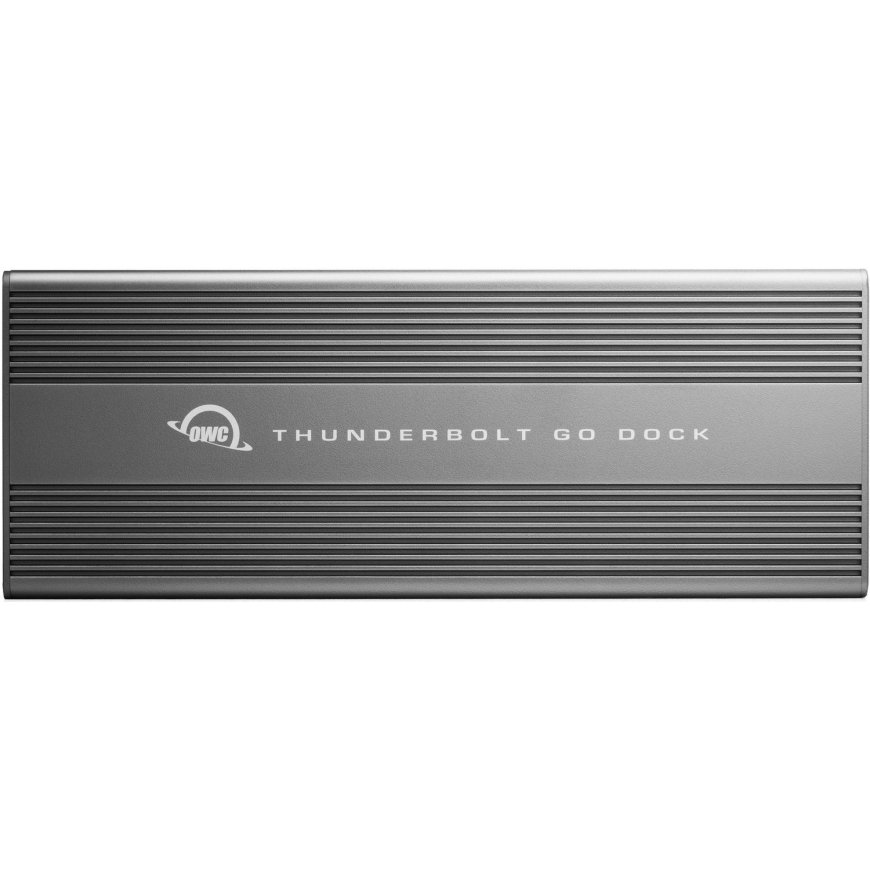
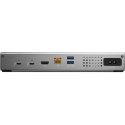
OWC Thunderbolt Go Dock Docking Thunderbolt 4 Grey
288,99 €
Monthly payment from 8.34 €
2188886 OWCTB4DKG11P
0810100980757, 0810100980771, 5715063358283
Shipping 4-6 b.d.
 Pay 5x57.80€
You are interested in this product?
While life is often full of compromises, your dock shouldn’t be. You should be able to move your workflow from the desktop to the road easily on short notice without having to choose what device or accessory to leave behind.
Connect everything you want everywhere you call a workspace easily with the OWC Thunderbolt Go Dock. Say goodbye to a heavy, bulky power adapter slowing you down. Or a bus-powered mini dock not having the complete ports you need. Simply plug the power cable of this world’s first full-featured Thunderbolt dock with a built-in power supply into a standard outlet in coffee shops, airports, vehicles, video production carts, and more to put 11 ports of connectivity empowerment at your fingertips.
Go Connect It All
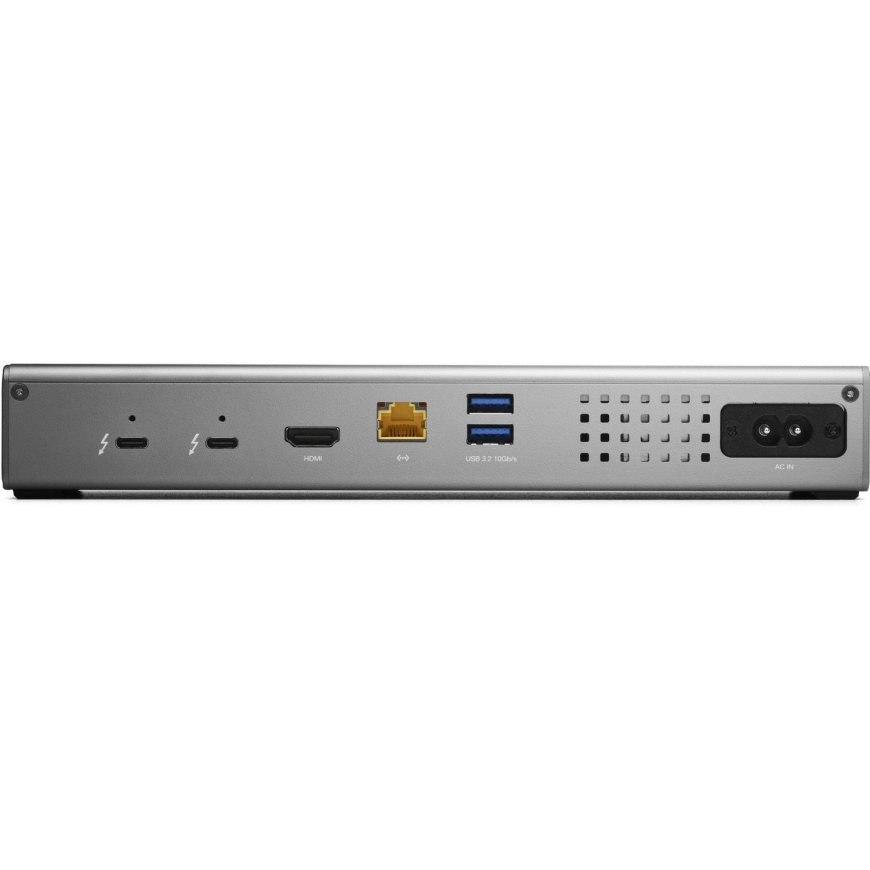
Get ahead at work and play by connecting an incredible array of past, present, and future Thunderbolt and USB devices and accessories to the Thunderbolt Go Dock. Tap into high-performance storage capacity including NVMe solutions. Record and livestream with an A/V mixer. Expand your capabilities with a PCIe expansion enclosure. Enjoy the feel of your favorite keyboard and mouse. Nearly any connectivity need you have or want is possible with a diversity of Thunderbolt and USB ports.
Turn Your Tablet into a Computer
With the Thunderbolt Go Dock, you can turn your tablet into a full computing platform with capabilities that exceed many desktop and notebook computer setups. Now you can transform one port on your tablet into 11 ports so you can read/write SD card media, share files in a blink on a high-speed network, free up your internal storage by offloading to an external drive, and work easier with a larger external display, mouse, and full-sized keyboard. You can even turn your tablet into a desktop video, audio, or podcasting recording and editing setup. The possibilities of how you can use the Thunderbolt Go Dock to redefine your tablet computing experience are nearly limitless.
When Mobile Is Better Than Portable
You want to connect it all and have it all work flawlessly. While bus-powered portable docks are great for most common uses, they can only provide so much power from the host computer. When you want to push your abilities to the max, the mobile ready Thunderbolt Go Dock’s built-in power supply gives you the juice you need. And it lets you take a fabulous diversity of connectivity anywhere easier by eliminating the need to carry around a pain-in-the-neck/shoulder/back power brick.
A Multi-Connectivity Solution for Millions
It’s a hassle trying to figure out or remember what interface your gear and computer has so you can use it all with a dock. Whether you have a Thunderbolt or USB-C Mac, PC, iPad, Chromebook, or Android device, the Thunderbolt Go Dock’s uplink port utilizes a USB-C connector to give you a multi-connectivity solution for millions of past, present, and future (yes even USB4!) computers and devices.1
A Resolutionary Idea
As a digital nomad, hybrid employee, or creative production pro, you need to be able to expand your notebook’s single display – imagine…TWO 4K displays! - for maximum productivity at a temporary work location. With the Thunderbolt Go Dock’s HDMI port and Thunderbolt technology, you can view more detail and make edits easier on up to an 8K display. Edit large format video on one 4K display while previewing the raw playback on a second 4K display. Whatever your workstation display needs, the Thunderbolt Go Dock gives you the vision to go to a higher level.3,4
Whether your computer or tablet is sporting the latest technology or is a few years loved, the OWC Thunderbolt Go Dock gives you multiple options to expand your visual horizons.
Go Energized
Keep your notebook and tablet ready for mobile use with the Thunderbolt Go Dock’s dedicated 90W power delivery Thunderbolt uplink port. You can also keep devices powered/charging on the other two Thunderbolt and four USB ports. Whether you’re taking a break or are done for the day, the Thunderbolt Go Dock continues to power and/or charge connected devices.
2.5x Faster + MDM
Many of today’s computers and tablets either don’t provide a network port (ugh…slow low-quality Wi-Fi) or feature the older 1Gb/s standard. Now you can transfer, copy, and/or edit files and work up to 2.5x faster over wired networks and enjoy increased productivity in an IP-based workflow with the Thunderbolt Go Dock’s 2.5Gb/s Ethernet port. Or, connect to a NAS for faster data access, backup, and 4K video streaming and editing.2
With MDM compatibility, OWC Docks make Mobile Device Management a breeze. Remote manage Go Dock empowered workstations across your organization. Other docks without MDM just don’t cut it.
Ingest in a Blink
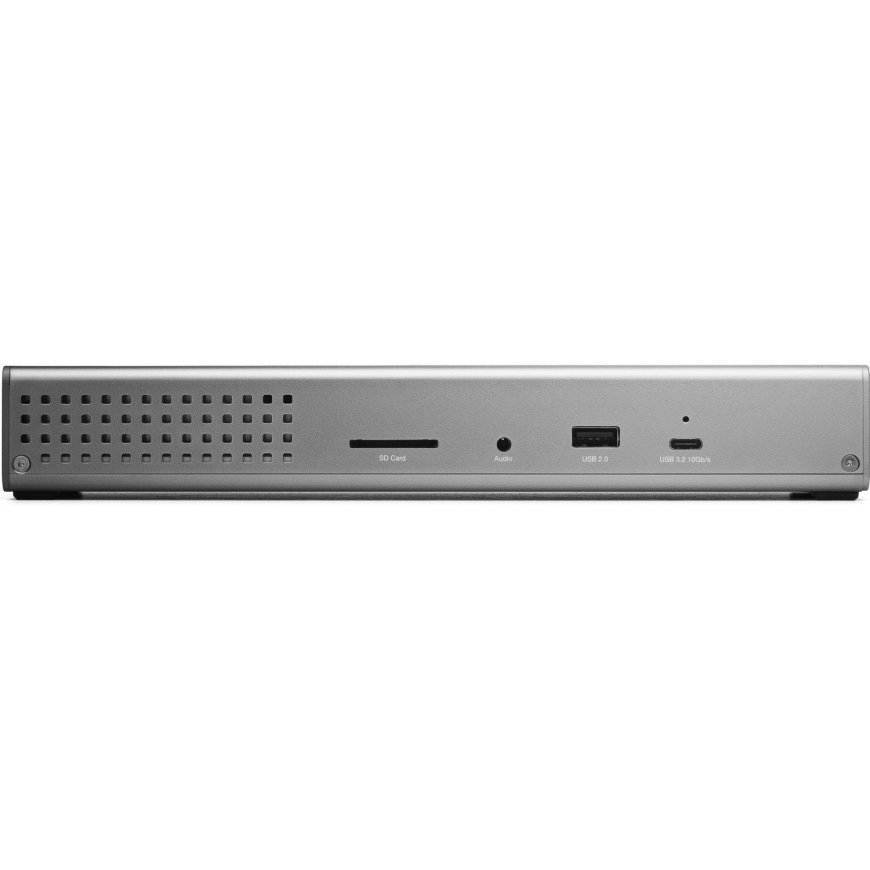
Another “one less thing to carry” benefit for you is the built-in SD card reader. Video footage and photos are a part of daily life, and the Thunderbolt Go Dock lets you ingest your creative content conveniently fast. You can also use the reader like an external drive and store or backup files at will.
Go Multiple
Transform a single Thunderbolt into dual Thunderbolt ports with the OWC Thunderbolt Go Dock. Take advantage of extra Thunderbolt ports to connect multiple Thunderbolt / USB-C drives, devices and SSDs to experience the fastest speed your devices can deliver. Utilize multiple daisy-chains to connect even more with your Go Dock empowered workflow.
Simply Cleaner & Easier
Having a built-in power supply with your Thunderbolt Go Dock keeps your life simple. With one less power brick in your desktop setup, there’s less clutter for cleaner cable management. When mobile with another dock, if you lost its power brick, you are dead in the water. If you happen to misplace the Thunderbolt Go Dock’s standard and common 2-prong "figure 8" power cord, you likely already have one you can “borrow” from another device or can easily stop in at a local store for a replacement and keep working.
| Product colour | Grey |
| HDMI ports quantity | 1 |
| USB 2.0 ports quantity | 1 |
| Maximum refresh rate | 120 Hz |
| Compatible memory cards | SD |
| Headphone connectivity | 3.5 mm |
| Weight | 949 g |
| Width | 241 mm |
| Depth | 92 mm |
| Height | 36 mm |
| Cables included | Thunderbolt |
| Connectivity technology | Docking |
| Windows operating systems supported | Windows 10 x64; Windows 11 |
| Mac operating systems supported | Mac OS X 11.0 Big Sur; Mac OS X 12.0 Monterey; Mac OS X 13.0 Ventura |
| Mobile operating systems supported | iPadOS; Android 12.0; iOS 15 |
| Quick start guide | Yes |
| Warranty card | Yes |
| Manual | Yes |
| Certification | CE, FCC, RCM, VCCI, BSMI, UKCA, IC, RoHs, Reach |
| Operating temperature (T-T) | 0 - 35 °C |
| Operating relative humidity (H-H) | 5 - 95% |
| Host interface | Thunderbolt 4 |
| Headphone outputs | 1 |
| Combo headphone/mic port | Yes |
| Ethernet LAN | Yes |
| Ethernet LAN (RJ-45) ports | 1 |
| Ethernet LAN data rates | 10; 100; 1000; 2500 |
| Card reader integrated | Yes |
| Housing material | Aluminium |
| AC input voltage | 100 - 240 V |
| Input current | 1.5 A |
| Output voltage | 24 V |
| Output current | 5 A |
| Other operating systems supported | ChromeOS |
| Drivers included | Yes |
| AC input frequency | 50 - 60 Hz |
| Number of displays supported | 2 |
| Power supply | 120 W |
| Cable lock slot | Yes |
| USB 3.2 Gen 2 (3.1 Gen 2) Type-A ports quantity | 2 |
| USB 3.2 Gen 2 (3.1 Gen 2) Type-C ports quantity | 2 |
| User guide | Yes |
| USB Power Delivery (USB PD) | Yes |
| USB Power Delivery up to | 90 W |
| Sustainability compliance | Yes |
| PowerShare | Yes |
| Thunderbolt 4 ports quantity | 3 |
| Thunderbolt 4 cable length | 70 m |
| Compliance certificates | RoHS; REACH; Federal Communications Commission (FCC); UKCA |
30 other products in the same category:


 7,01 €AVAILABLE Goods will arrive at the Tallinn warehouse on 17.03.26
 11,90 € 10,93 €AVAILABLE Goods will arrive at the Tallinn warehouse on 17.03.26
 11,59 € 10,78 €AVAILABLE Goods will arrive at the Tallinn warehouse on 17.03.26
 15,88 €AVAILABLE Goods will arrive at the Tallinn warehouse on 17.03.26
 19,00 €AVAILABLE Goods will arrive at the Tallinn warehouse on 17.03.26
 15,88 €AVAILABLE Goods will arrive at the Tallinn warehouse on 17.03.26


 11,42 €AVAILABLE Goods will arrive at the Tallinn warehouse on 17.03.26

 15,88 €AVAILABLE Goods will arrive at the Tallinn warehouse on 17.03.26


 36,70 €AVAILABLE Goods will arrive at the Tallinn warehouse on 17.03.26
 32,50 €AVAILABLE Goods will arrive at the Tallinn warehouse on 17.03.26
 31,38 €AVAILABLE Goods will arrive at the Tallinn warehouse on 17.03.26
 59,20 €AVAILABLE Goods will arrive at the Tallinn warehouse on 17.03.26
 42,59 €AVAILABLE Goods will arrive at the Tallinn warehouse on 17.03.26
© 2026 Frogest OÜ. All right reserved.


